Hardware Wallet Security Explained: From Blind Signing to Supply Chain Verification

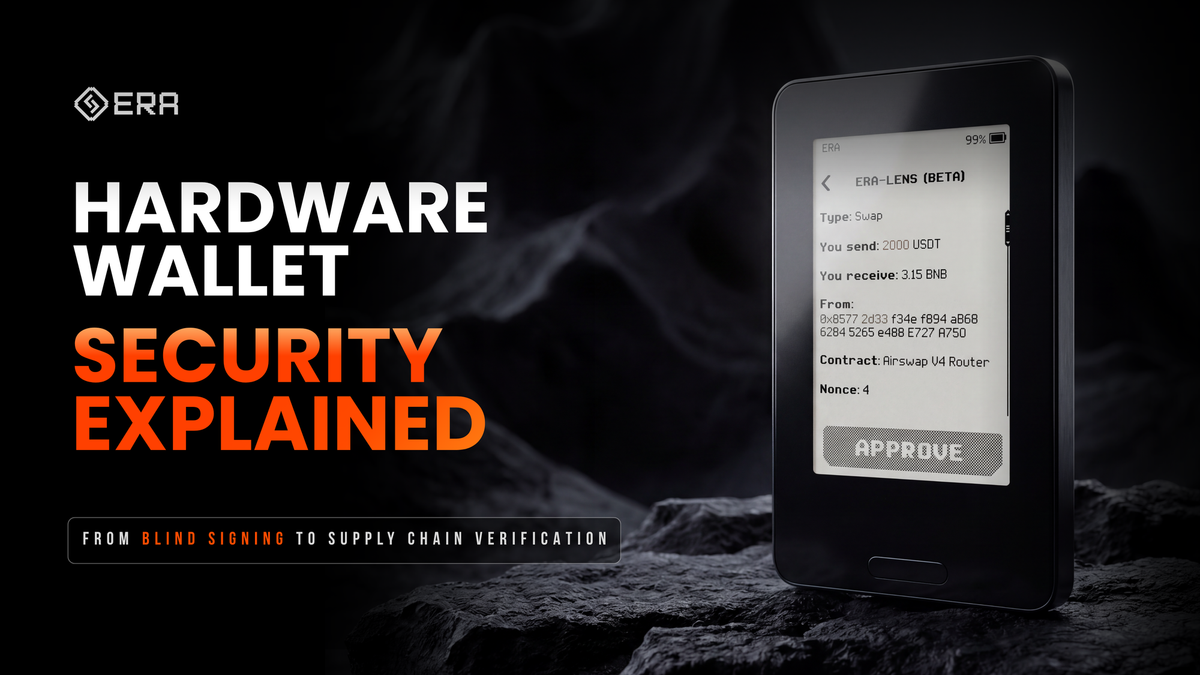
Every hardware wallet requires you to trust something.
- Trust that no one modified the firmware during manufacturing.
- Trust that your private keys were generated correctly.
- Trust that the "clear signing" screen is actually showing what you are about to approve.
- Trust that the connection to your phone is not transmitting any additional data.
The entire hardware wallet industry is built on an unspoken agreement: "Trust the manufacturer - and your assets will be safe"
We believe this model is outdated. Not because manufacturers are dishonest, but because trust is not a security model. It is a single point of failure.
Every successful supply chain attack, every case of blind signing, every compromised random number generator in the history of the crypto industry became possible only because users had to trust something they could not verify.
That is why we built ERA around a different principle: You shouldn't have to trust any step. You should be able to verify every one of them. This is not a marketing slogan. It is an architecture. Here is how this principle is implemented at every stage of a hardware wallet's lifecycle.
Verify the Manufacturing
Security does not begin when you turn on the device. It begins even before manufacturing starts, with the procurement of every component that will become part of the final device.
So where does this journey begin?
- Procurement of components from trusted vendors.
- Consolidation of components at the manufacturing facility.
- Assembly of all components.
- Programming.
- Final assembly and packaging.
- Shipment to the customer.
Historically, this has been the weakest point of hardware wallets -users have almost never been able to verify what happened during manufacturing, where the components came from, how they were assembled, how they were programmed, whether genuine components were used, and most importantly, whether someone could have compromised the device or replaced any of its components during delivery.
ERA's security architecture has been independently audited by Keylabs. The audit included a threat model analysis, hardware architecture assessment, firmware analysis, security mechanism review, and evaluation of the device's resilience against the most common attack scenarios. But the audit is only part of the story.
- The ERA team verifies the authenticity of every component and controls the supply chain to ensure that only genuine components are used during manufacturing.
- Assembly and low-level software programming are performed using dedicated production equipment and cloud-based manufacturing software that controls the assembly of every device and provisions unique cryptographic keys into the Secure Element. The Secure Element and the microcontroller are cryptographically bound to each other, making it impossible to replace either component.
- All debug interfaces are permanently disabled before the device leaves the factory, and the hardware identity of the device is permanently locked.
- In addition, both the front and back glass panels are bonded using a specialized industrial adhesive. In most cases, any attempt to open the device leaves visible signs of tampering, making covert disassembly virtually impossible.
- Delivery is the only stage that the manufacturer cannot fully control. That is why we added another layer of protection. Every device is sealed with a special security seal that cannot be removed without leaving visible signs of damage. This allows you to verify that the box has not been opened after leaving the factory.
But most importantly - you don't have to take our word for it. ERA allows you to verify the authenticity of the device before you even create your keys on it.
This verification answers only one question: Was this device genuinely manufactured by ERA and has it remained unmodified before reaching you?
How to verify?
✅ Download the ERA app only from the official website.
Do not install the app using QR codes printed on the packaging, and do not search for it manually in the app store. Always access it through the official ERA website.
✅ Perform the device authenticity check. Open the ERA app, scan the QR code displayed on the device, and wait for the cryptographic verification to complete. The app will confirm the authenticity of the device, the authenticity of the firmware, and the integrity of the hardware.
Verify the Connection
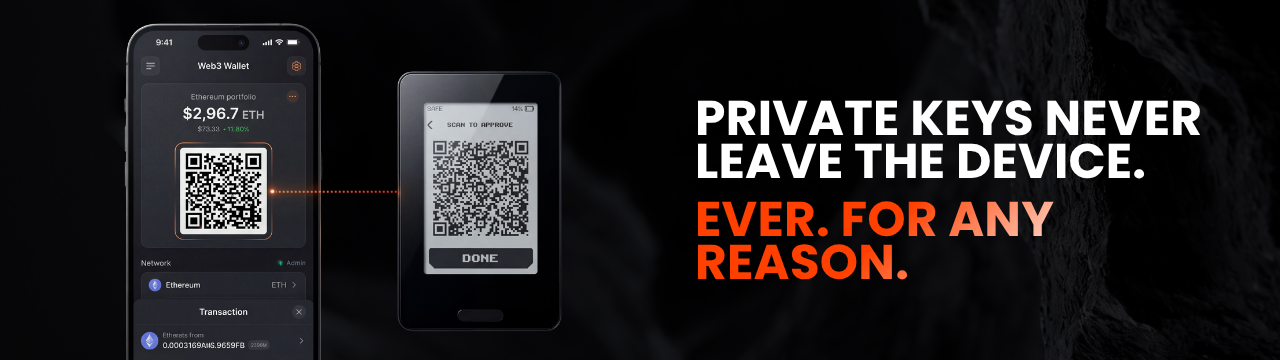
ERA communicates exclusively through QR codes. No USB. No Bluetooth. No Wi-Fi.
This is not a matter of convenience. It is a security boundary.
Any wired or wireless connection is a continuously available communication channel between devices. Even when you are not signing a transaction, that channel continues to exist and can potentially become a target if your computer, smartphone, or the communication protocol itself is compromised.
ERA uses QR codes only. The data transmission channel exists only while you intentionally scan or display a QR code. Once the exchange is complete, no active connection remains between the devices.
But that's not all.
ERA uses the open EIP-4527 standard for transmitting data via QR codes. This means that the format of the transmitted information is not closed or proprietary - it can be analyzed by any developer, security researcher, or user.
At the same time, there is no permanent communication channel between the devices. Interaction occurs only while scanning a QR code and lasts less than a second. Once the exchange is complete, the device returns to a fully offline state.
That is why data transmission is not only open to independent verification, but also limited to the minimum amount of time required for interaction with the outside world.
How to verify?
✅ Scan the QR code of any transaction and ask an AI assistant, QR decoder, or any compatible tool one simple question:
What data does this QR code contain? Is there a private key or seed phrase inside it?
You will see the contents with your own eyes.
That is the value of an air gap. Not the promise of security, but the ability to verify for yourself that only the data required to sign a transaction is transmitted between the devices—and nothing more, only for a brief moment, and with you in complete control of the duration of that interaction.
Verify Your Keys
Private key generation is one of the least transparent parts of any hardware wallet.
In most existing solutions, the wallet creation process appears to the user as a black box.
You press a button - and the device tells you that a new wallet has been generated.
But you have no way to influence this process, nor can you independently verify that the private keys were actually generated at that exact moment, rather than beforehand or according to a predetermined scenario.
ERA makes you a direct participant in the key generation process.
You don't just press a button and wait for the result. You directly participate in the generation process by influencing the randomness from which your private keys are created.
- Camera;
- Finger movements on the screen;
- Device movement.
This data is combined with the hardware random number generators inside the Secure Element and the microcontroller. As a result, five independent sources of entropy are used simultaneously.
But it is not enough to generate randomness - it is equally important to verify its quality.
That is why, before being used, the resulting entropy undergoes a mathematical quality assessment using a built-in randomness evaluation algorithm. Only after successfully passing this verification is the entropy used to generate private keys.
It is the combination of multiple independent entropy sources and randomness quality verification that provides the highest possible level of unpredictability.
Try a simple experiment.
✅ Create two new wallets using different user actions.
✅ Verify that a completely new seed phrase is generated each time.
✅ Try different combinations of user-provided entropy.
Randomness that cannot be verified is randomness based on trust.
ERA is designed to require as little trust as possible.
Verify What You Sign
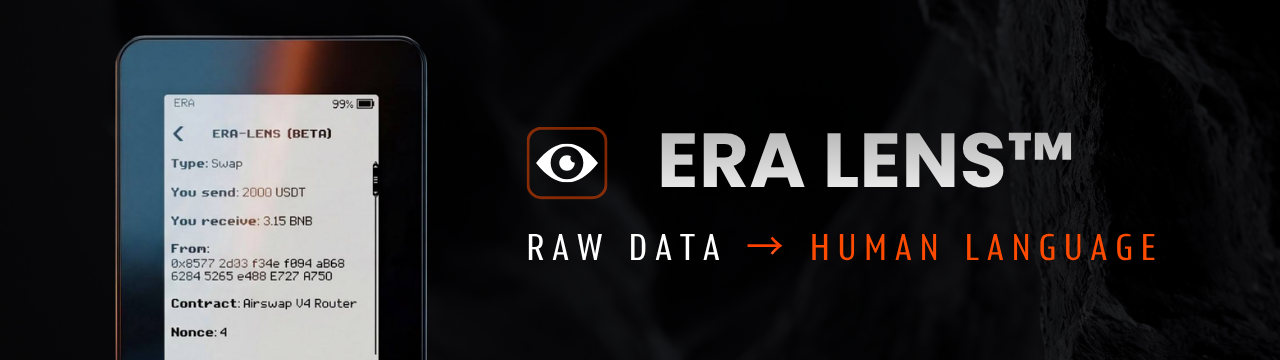
Blind signing is one of the most common causes of crypto asset loss. You approve a transaction that you cannot read. Instead of meaningful information, you see nothing more than a string of unintelligible characters that tells you nothing about the actual contents of the transaction.
ERA Lens™ fully decodes the transaction offline, directly on the device.
Before approving, you see:
- The token;
- The amount;
- The destination address;
- The function being called.
Offline operation is critically important here. Any device connected to the internet potentially becomes another point of attack.
- A computer can be compromised.
- A phone can be infected with malware.
- Even a cloud service or external API can be attacked or manipulated.
That is why ERA Lens performs all transaction decoding entirely on the device itself, without an internet connection.
No cloud requests. No external API. No dependence on third-party services.
This eliminates another potential single point of failure: even if your phone or computer is compromised, an attacker still cannot influence the transaction decoding process inside the device.
If you cannot read the transaction, you should not sign it.
ERA Lens was created precisely so that you can verify it yourself.
What should you verify before every signature?
✅ What action is being performed? Transfer, swap, bridge, staking, loan, approve, etc.
✅ Which token and what amount are involved in the transaction?
✅ Who are you trusting? The recipient address and the smart contract you are interacting with.
✅ Do you understand the consequences of this signature?
Verify Risk Separation
One seed phrase for all of your assets is a single point of failure.
If it is compromised, everything is at risk.
ERA supports 10 completely independent wallets.
Each has:
- Its own seed phrase;
- Its own recovery process;
- Its own level of risk;
- Its own passphrase and password protection
These are not hidden accounts. They are not additional derivation paths.
They are ten independent roots of trust. The compromise of one has no impact on the other nine.
What can you verify yourself?
✅ Create two independent wallets.
✅ Verify that each has its own seed phrase.
✅ Restore one of them.
Verify Your Backup
Only you decide where your backup is stored and who even knows it exists.
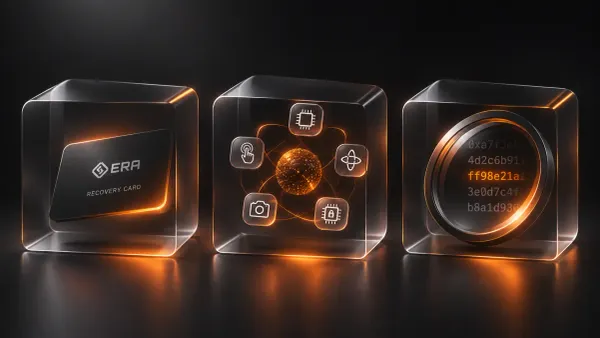
ERA Recovery Card:
- Uses encryption;
- Protected by a PIN code and brute-force protection;
- Operates via NFC.
No cloud. No accounts. No third parties.
If you want to increase your level of security even further, ERA MultiShare technology allows you to split your backup across multiple cards. No single card contains the complete secret.
In any case, only you know where your backup is stored.
How can you verify it yourself?
✅ Save your backup to an ERA Recovery Card.
✅ Verify the recovery process.
✅ If you use MultiShare, verify that a single card is not sufficient to recover the backup.
Verifiability Is a Habit, Not a Feature List
None of these technologies, by themselves, make the system secure. Security emerges when every layer can be verified independently.
Manufacturing. The device. The connection. Key generation. The transaction. Wallet separation. Backup. Each verification answers its own question. And none of them requires you to blindly trust the previous one.
- Verifying the connection does not confirm the authenticity of the device.
- Verifying key generation tells you nothing about the integrity of the firmware.
Each layer is responsible for its own part of security. And each of them is designed so that you can obtain the answer yourself - not just us.
That is what we call self-verifiable. Not because ERA deserves your trust based on our claims. But because you never have to rely solely on our word in the first place.
When a manufacturer asks you to trust them - that is trust. When a manufacturer gives you the tools to verify - that is security. We chose the latter.
Don't Trust. Verify.
Ready to protect your crypto?
Discover ERA Wallet ▶ Watch ReviewsUse promocode ERABLOG20 for 20% off